@ecke101 Great work!
The node feels nice and intuitive. A few comments:
-
Will we be able to transform the letters using the letter index after meshing them with the Curve Fill? Transforming the splines causes very slow performance since the result needs to be meshed at every update. The setup below doesn’t seem to work:
-
Is it possible to get the rotation pivot at points that fall on the spline? Notice the “T” letter here how it rotates floating, in contrast with the “h” letter that seems nicely planted.
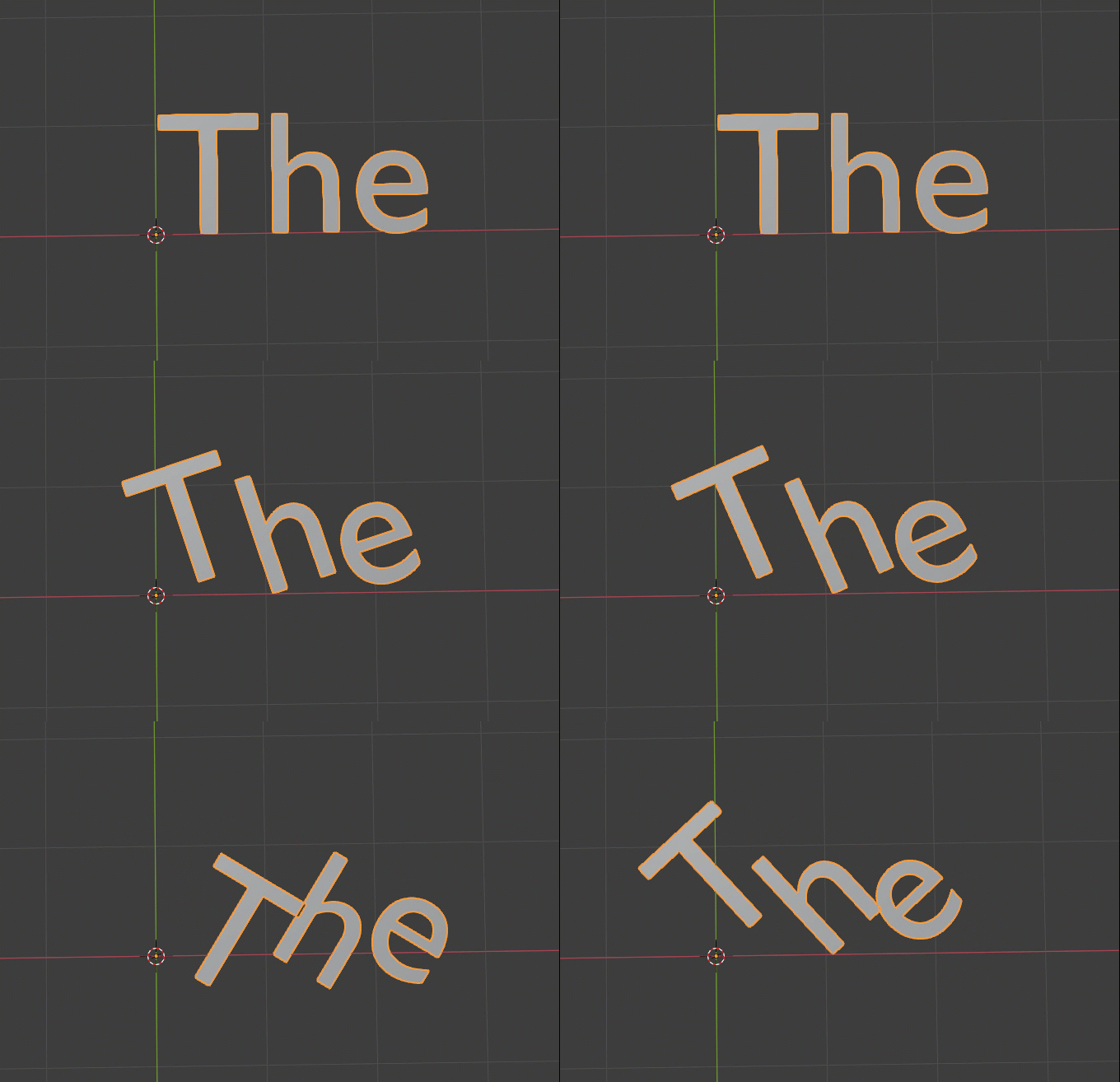
-
I’m not sure if we do need all of these options. I’m not sure how the “Max Height” works, and I found the “Align Y” options the least useful.
On the other hand, I love the choices in the “Align X”.
Or it could be just me. -
Would it be possible to have a multi-line string? That would provide an intuitive way of making lines.
-
There is a Character Index and a Line Index output, it would be nice to have a Word index as well.
Which nodes can we use these with? I noticed Set Position works but not Geometry Transform. -
This could be that the field nodes aren’t there yet, but one of the first things I would try to do with Motion Text is to align it along a curve. I can’t figure out if this is possible now and how easy it would be to achieve it.
We would need to place the letters along the curve while preserving their relative spacing from each other.

Great work overall!
P.S.
@cmzw Where are all these nodes from? Are they animation nodes?